

Mobile Banking
Tablet Banking App!
- If you search Merchants Bank in the app store you will find our new Tablet App. Some of the great features you will notice will include:
- A branded app so you can easily find us in the app stores.
- Ability to view all of your account balances with just a tap.
- Send payments to virtually any company with Bill Pay.
- Take a picture of your check and have it in your bank account with Mobile Deposit.
- Send, request and receive money securely with our Popmoney feature.
If you have any questions about this new product, please contact any of our branch offices. You must be enrolled in Online Banking to use the Table Banking App. Not currently enrolled in Online Banking?
Our FREE* Mobile Banking gives you access to your finances anytime and anyplace.
Transfer funds easily between accounts, pay bills quickly without writing a check and now you can even make deposits…all without visiting the bank! Plus, it’s safe and secure just like any other Merchants Bank transaction. |
 |
Get started today and Experience the Difference!Current customers can enroll with an existing online banking account via the “Options” tab.Or visit one of our branches to open a new account. |
|
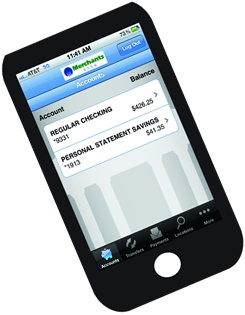 |
Easy Mobile Phone Access:
|
*Merchants Bank does not charge a fee for Mobile Banking. Existing Bill Pay fees apply. Check with your wireless carrier as data and text usage may apply.
**Funds transfer capability is not available with text banking.
NEW: Mobile Deposit Capture is Here!
Merchants Bank is now offering Mobile Deposit Capture using your TouchBanking App. It’s easy and convenient. Just look for the Deposit Icon on the TouchBanking App and follow the instructions listed here.
Not a Mobile Banking customer yet? See our Quick-Start Guide below to get started.
Mobile Banking Quick-Start Guide
Mobile Banking offers you a choice of three service methods to access your account:
- Send a text message to request account balances or activity
- Use a mobile browser to check account balances or review account activity, transfer money, pay bills, or find a branch and ATM
- Download an application and receive all the benefits of mobile browser banking enhanced by your phone’s unique features
Enrollment
Enrollment is done through your existing Online Banking account. To enroll in Online Banking or to login to your existing account, click on the appropriate links (top left) at www.merchantsbangor.com. Once you are logged in, just click on the OPTIONS tab at the top left. The OPTIONS tab also allows you to conveniently add or change: a phone number, an account, or a service method.
Most phone models are supported including major brands such as: iPhone, BlackBerry, TCH, LG Motorola, Nokia, Pantech, Samsung, Sanyo and Sony Ericsson.
Mobile Banking works with all major carriers in the U.S. such as: AT & T, Sprint, T-Mobile, U.S. Cellular and Verizon Wireless. Mobile Banking also works with most prepaid plans.
Security
Merchants Bank Mobile Banking employs industry best practices including customer authentication and the latest encryption methods. Personal financial information is not stored on the mobile phone. If your mobile phone is lost or stolen, no one can access your account without knowing your password. And to prevent unauthorized access to your account, you can deactivate your phone directly through your Online Banking account.
- Always keep your mobile phone physically secure
- Deactivate the phone in Online Banking and contact us if your phone is lost or stolen
- Install operating system updates for your device as they become available - they often include security updates.
- Install virus protection if available at the app store or where you get programs for your mobile phone
- Use a Passcode or other locking feature available for your mobile device
- Don’t use an unsecure wireless connection
- When reviewing account activity, contact the bank if you notice unusual transactions
- Never store password or other sensitive data in your phone
- Before you upgrade or recycle your device, delete all personal/business details
Service Fees
Merchants Bank does not charge a fee for Mobile Banking, although standard carrier text messaging and data charges may apply. Existing Bill Pay fees apply.
Text Message
Send a text message to the short code received after activating the mobile phone. Store it in your phones Contacts for future use. Commands are not case sensitive.
- To view account balances send B, BAL, BALANCE, or BALANCES
- To view transaction history send STMT, TRAN, or HIST plus the nickname for the account (e.g., HIST CK). A text message is returned displaying the transaction history for the account. Reply to the transaction history text with the word NEXT or MORE to view additional transactions.
- To locate a branch send BRANCH plus the ZIP code, or city and state (e.g., BRANCH Bangor, PA)
- To locate an ATM send ATM plus the ZIP code, or city and state (e.g., ATM 18013)
Mobile Browser
Tap the mobile browser link from the text message received after activating the mobile banking phone. Bookmark the mobile browser hyperlink to easily access Mobile Banking in the future.
Log in as you would to Online Banking. Tap the icon for the information desired.
Downloadable “TouchBanking” Application
Tap the downloadable application hyperlink from the text message received after activating the mobile phone. After the Application Download screen is displayed, tap the Download Mobile Banking link. Tap TouchBanking. Log in as you would to Online Banking.
The App Store (for iPhones) and Market or Play Store (for Androids) must be functional on the phone in order to obtain the app for TouchBanking. Apple Ids and Google Ids are necessary.
Download the Mobile Banking Quick-Start Guide.
Need help? Call us at 610-588-0981.